SolarEdge Go: the all-in-one app for installers and service
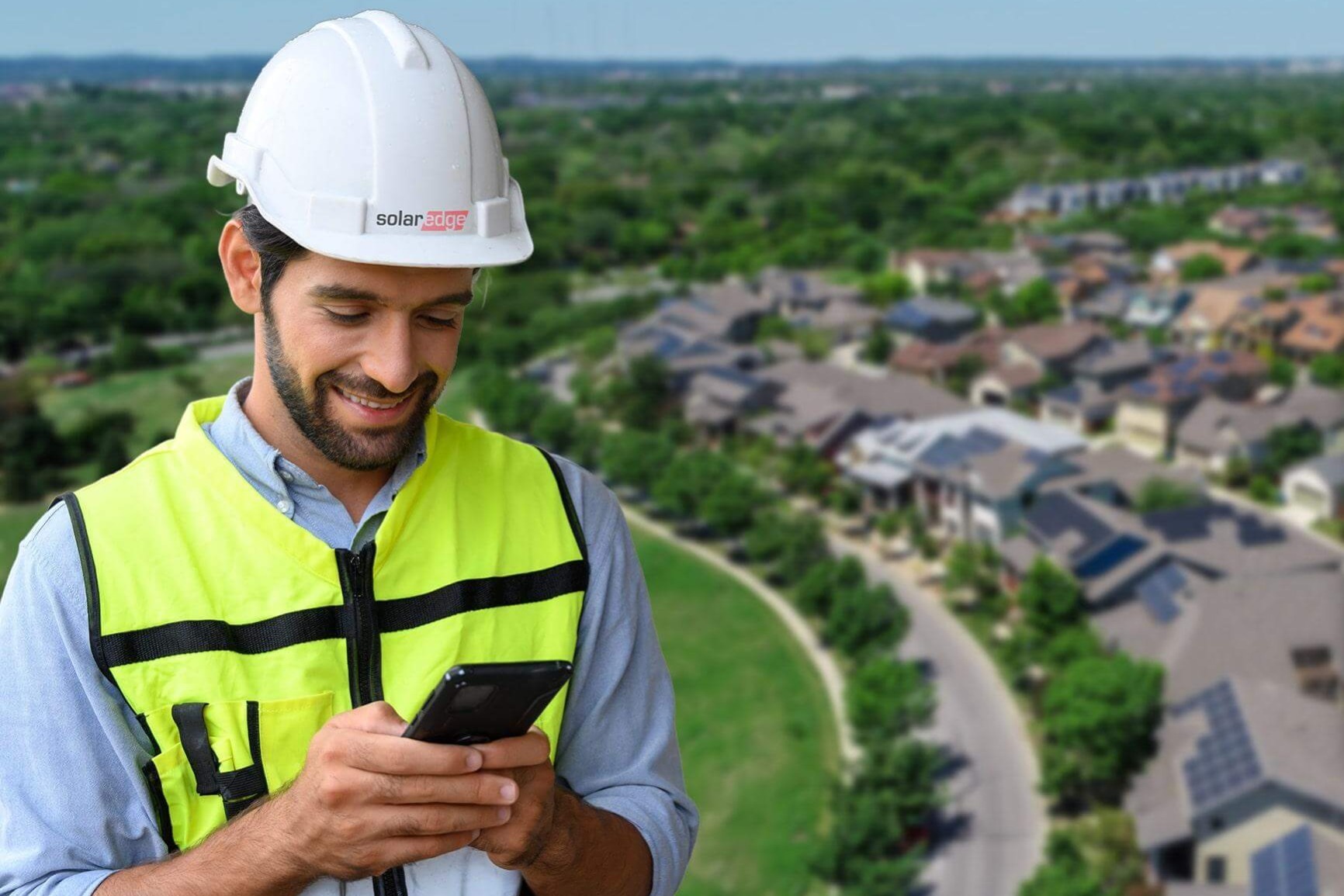
With SolarEdge Go you have one mobile environment for installation, management and maintenance of SolarEdge installations. The SolarEdge Go app brings together work from SolarEdge SetApp, SolarEdge Mapper and monitoring (with links now and further integration depending on version). Practical advantage: you view site information and alerts/alerts SolarEdge on the go, and you manage one site or an entire fleet.
What is SolarEdge Go
SolarEdge Go is a mobile all-in-one app for installation, management and maintenance of SolarEdge solar installations-for a single location or for an entire fleet. SolarEdge positions Go as an app that allows you to support management and monitoring from any location, and in communications SolarEdge Go is described as a successor/replacement to the older SolarEdge monitoring app.
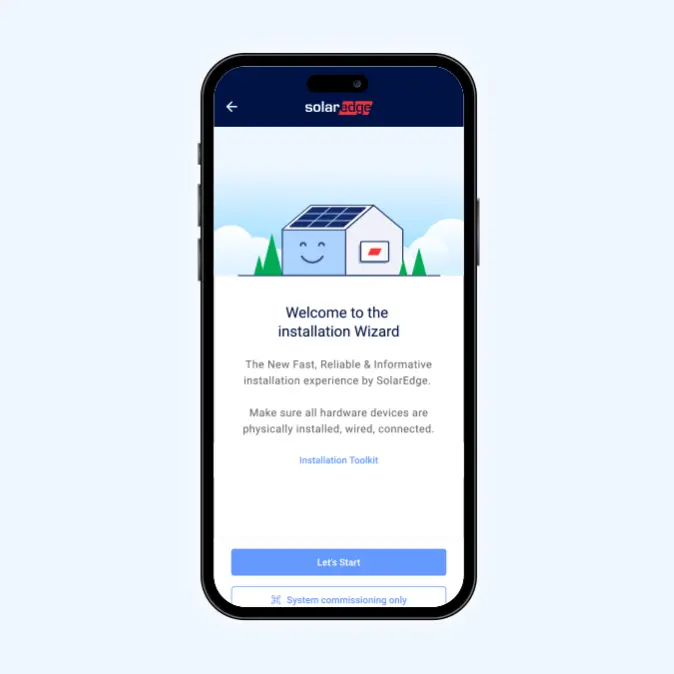
Importantly, the app brings together work from SolarEdge SetApp, SolarEdge Mapper and Monitoring. Links are there now; further integration depends on version and roadmap.
Who is SolarEdge Go intended for?
The SolarEdge app installers is especially relevant for:
- Solar panel installers who provide multiple SolarEdge sites and want to manage them from a single app.
- Service companies that do maintenance on existing installations and want quick insight into status, site data and alerts.
- Teams deploying fleet management solar panels: one installer managing dozens to hundreds of sites and want to be able to switch on the go.
In short: SolarEdge Go is designed for professionals who don't want to be immediately in front of a laptop with every question or failure.
What you can already do with SolarEdge Go today
What's already coming together centrally in the SolarEdge Go app:
- Installation, management and maintenance in one mobile app for SolarEdge solar installations (single site or entire fleet).
- Cloud-based synchronization: import designs and work with up-to-date data on the go.
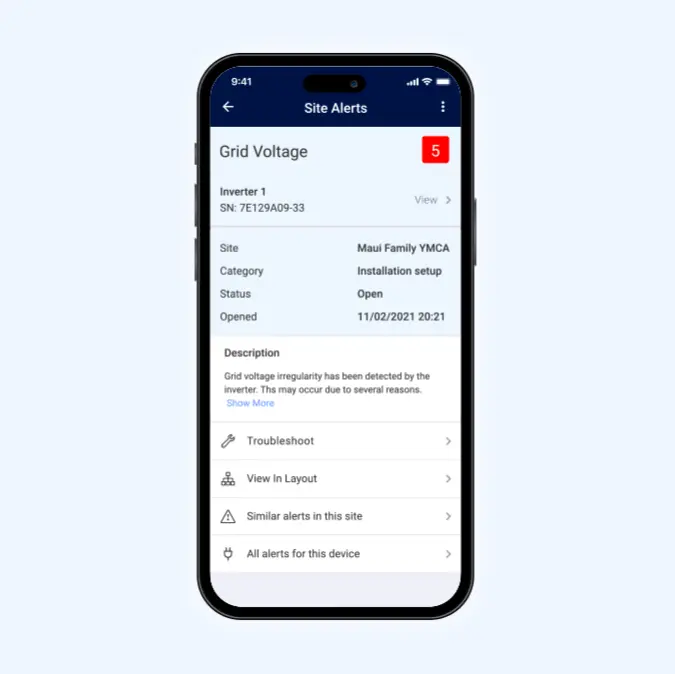
- View site information and alerts/alerts SolarEdge: quickly see what's going on by site.
- Manage/register users: manage access and users around a site.
- Fleet and site management on the go:
- map view with locations
- detailed information per site
- respond faster to critical issues/alerts
- Work with components/workflows known from SolarEdge SetApp, SolarEdge Mapper and Monitoring (links now; further integration later depending on version).
What's coming.
SolarEdge lists remote services/remote access as a feature that is (beta) or soon to be available (depending on channel/version). Examples include:
- Viewing status (available soon / beta)
- Adjust settings (soon available / beta)
- Diagnostics (coming soon / beta)
- Support ticket/case management (coming soon / beta).
Again, further integration of features from SetApp, Mapper and Monitoring may increase in the future, but depends on version.
What this means in practice
The practical gain is mainly in speed and overview, especially if you manage multiple sites.
1) Faster response to fleet alerts
You see alerts/alerts SolarEdge on the go and can prioritize: which site is critical and which can be done later? This helps to plan service more efficiently.
2) Map view = instant overview.
With fleet and site management solar panels via map view, you see at a glance where your sites are and can click through to the right site for detailed information faster. Useful for teams with many installations spread across a region.
3) User management without the detour
Managing/registering users from the app makes it easier to round up access when needed-without having to arrange everything "later in the office."
4) Fewer trips through better preparation
If you can view site information and alerts in advance, you'll go out more focused. You arrive better prepared, and that can reduce unnecessary trips-especially with large fleets.
5) Remote service converter: keep the timing sharp
Remote service converter-like features (such as remote services/remote access) are mentioned as soon to be available or (beta). If this is relevant to your workflow, it pays to start looking now at how SolarEdge Go fits into your processes-so you'll be ready as soon as those components are more widely available.
SolarEdge Go at VDH Power
VDH Power is a wholesaler and partner for installers. We are happy to help you put SolarEdge Go to practical use in installation and service, with attention to your team's workflow.
What we can support you with:
- Advice on deployment of SolarEdge tools in your projects and service process.
- Practical questions about monitoring, fleet overview and notifications/alerts
- Support in working with SolarEdge Go in combination with SolarEdge SetApp, SolarEdge Mapper and monitoring (links now; integration further depending on version).
- Training for technicians and service coordinators (focus: working faster, fewer switching moments)
Note: availability of features may vary by version/channel. Especially parts around remote services are (beta) or soon available.